

As I mentioned recently, I’ve spent a bit of time lately working on a new Vetty Creations logo. It’s not that I didn’t like the old one, it’s that the old one doesn’t work very well in a digital environment. When I designed it, the digital environment wasn’t really important!
I had worked on it a bit, and was coming up with some things I really liked, particularly a symbol. But when I put it with the words “Vetty Creations” it just wasn’t working. My plan is that the symbol will be able to be used alone or in conjunction with the words.
I left it a week or two and came back to it, hoping that fresh eyes would help. They didn’t, so I emailed some ideas to two graphic designer friends for their feedback. One friend suggested that I should try a different typeface. I’d stuck with the old one in an effort to link the old and the new. But she was right – if I am changing the logo, then there’s no real need to keep a link.
The other friend had lots of great feedback about the symbol part of the design. I implemented her suggestions, and we both agreed it was much better!
I tried out all the typefaces installed on my computer and decided on one that I would never have chosen if I hadn’t tried it to see how it worked. It was not what I expected to choose, but I really liked the effect that it gave. This may sound a bit weird to non-designer types, but it looked really friendly, and I liked that about it.
I was all set to go, when I realised that I hadn’t checked the kerning on the letters. What is kerning? Kerning is the space between individual letters. Tracking is a different thing – it is the spacing across a word. So if you increase the tracking, the letters all spread out, and if you decrease the tracking, the letters all get closer to each other. With kerning, you kern individual letters – you adjust the space between pairs. This is often important beside letters such as v, and capital A, as with their sloped sides they have more white space between them and their neighbours than straight sided letters such as H.
These are really finicky little details, but us designers like to get these things right. With properly kerned letters, you shouldn’t notice. It will just “sing”! With badly kerned letters, you may just think something looks a little weird about a word. With really badly kerned letters, you may think it is two words.
I always check the kerning of any important lettering, such as a book title or the lettering in a logo. I don’t check the kerning of a page of text – that would be ridiculous!
The easiest way I have found to do this is to turn the lettering upside down. When you see words the right way up, you read them as words. You don’t generally see individual letters or the spaces between them (unless the kerning is bad!). If you turn it upside down, the words stop being words and letters so much, and your brain is more likely to register them as shapes and negative shapes (the gaps between the shapes). I find that it makes it much easier to adjust kerning because you are judging shapes and the spaces between them only, rather than thinking about letters, words and their meaning. Once I have fixed any kerning issues, I turn the lettering back up the right way, and merrily go on my way.
So, what does the logo look like?
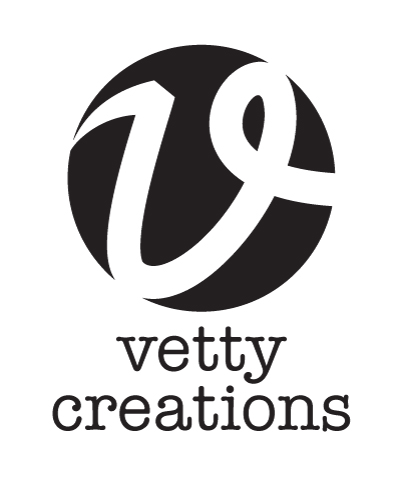
It is not set in stone yet, so there may be a few more small changes, but for all intents and purposes, this is the new Vetty Creations logo.
 White Threads is the blog of Yvette Stanton, the author, designer, publisher behind Vetty Creations' quality needlework books and embroidery products.

It looks great!! LOL! The kerning was the first thing I checked (old habits die hard!)
I do the upside-down thing too, but I also look at it from a distance, like propping it up against a wall and then leaving the room so that the next time I enter, I look at it.
Once a typesetter, always a typesetter!
<3
It should work much better on smaller screens, for example when your App comes out!